Switcher Studio vs. StreamYard: Which Streaming Platform Should You Choose in 2026?

The right streaming platform depends on the kind of show you want to produce. If your stream needs multiple cameras in one physical location, Switcher Studio is built for that workflow. If you’re hosting online interviews, webinars, or a podcast with remote guests, StreamYard offers a browser-based studio designed to make that setup straightforward.
Neither platform is the best choice for every production. Here’s how to decide which one fits your brand, team, and next broadcast.
The short answer
Choose Switcher Studio when your production depends on live camera-angle changes, especially with phones, tablets, or other cameras you already own.
Choose StreamYard when you need to bring remote guests together, record interviews, share a screen, or stream from a browser without asking guests to install software.
Both can help you create branded streams and reach audiences on multiple platforms. The better fit comes down to where your cameras are, how your guests join, and what you want to do with the recording afterward.
At a glance
What matters Switcher Studio StreamYard Best fit Multi-camera productions in one location Remote interviews, podcasts, and webinars Main workflow App-based production with connected cameras and devices Browser-based studio Camera approach Live switching between multiple camera angles Host and guests join the online studio Guest workflow Supports up to five remote guests Guests join through a link; participant limits depend on the plan Multistreaming Studio plan supports two destinations; Suite supports up to 20 Destination limits vary by plan, from one on Free to eight on Advanced Recording strengths Capture and switch camera angles as part of the production Local recordings create separate audio and video files for editing Pricing structure Subscription plans, free trial, and a single-event pass Free plan and paid monthly or annual subscriptionsFeatures and plan limits were checked against the platforms’ official pages on October 30, 2026. Plans and offers can change, so check each provider’s current Switcher pricing and StreamYard pricing before choosing.
Switcher Studio brings the cameras together
Switcher Studio’s strength is its multi-camera production workflow. The platform can use devices including iPhones, iPads, Android devices, webcams, and compatible camera sources to create a production with multiple angles. Switcher says its system supports up to nine camera angles, with live switching and graphics managed from one interface.
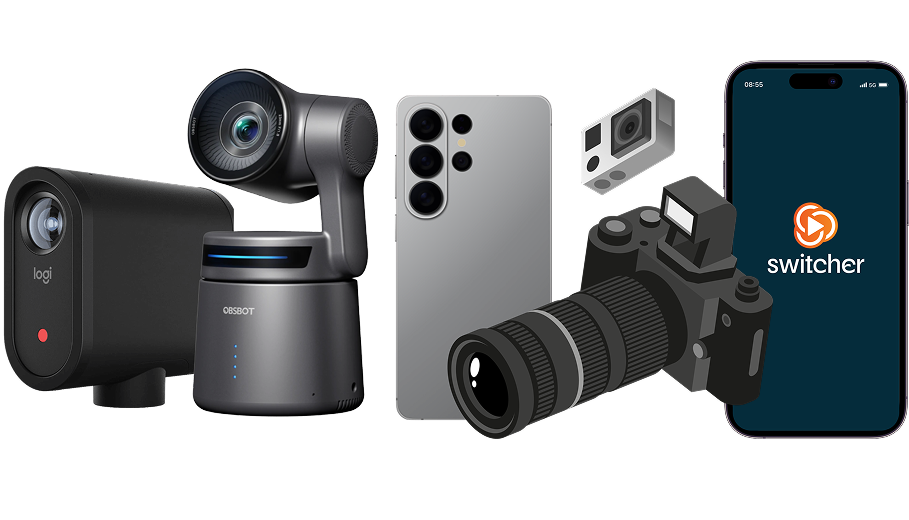
That setup can be useful when your audience should see more than a single fixed shot. A panel discussion, performance, product demonstration, or community event may benefit from cuts between the speaker, audience, stage, and detail shots. Switcher also supports branding elements and screen sharing, helping you create a more produced look without assembling a traditional broadcast truck.
The trade-off is that Switcher’s biggest advantage matters most when your production actually needs multiple local camera angles. If your show is mostly a host speaking to guests remotely, you may not need the added camera setup.
Switcher’s current pricing page lists two main plans: Studio, which supports multistreaming to two destinations, and Suite, which supports up to 20. Suite also adds features for hosting and monetizing videos. A single-event pass is listed for one-off use. Review the plan details carefully, especially if your production depends on a particular camera source or distribution destination.
StreamYard keeps remote production simple
StreamYard is designed around a browser-based studio. You and your guests can join using a link, without installing software or creating a StreamYard account. That makes it a practical option for interviews, podcasts, panel conversations, and webinars where participants may be joining from different places or devices.
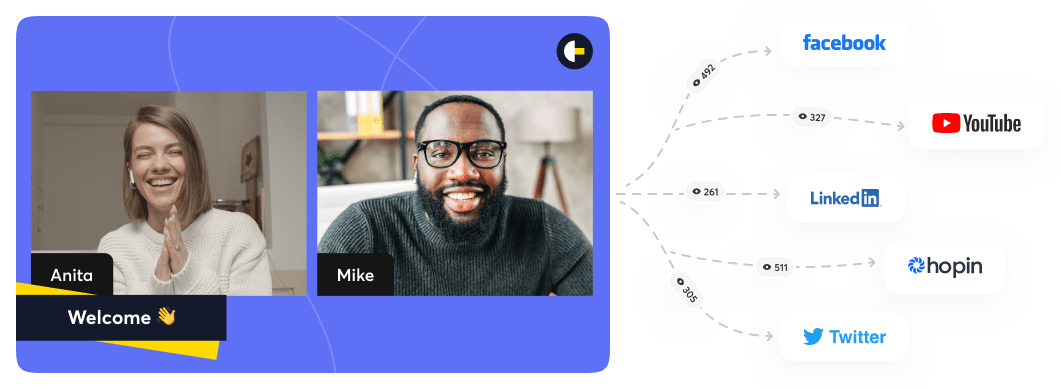
The platform supports branded layouts, screen sharing, and multistreaming. Its plan page lists a free option and paid subscriptions, with destination counts and production features varying by plan. The free plan includes StreamYard branding and limits on streaming and recording. Paid plans add features such as additional destinations, more participants, and expanded recording options.
For post-production, StreamYard’s local recording feature is worth noting. It records separate audio and video files on each participant’s device, which can make it easier to edit an interview or podcast later. The company says paid plans support recordings with up to 10 people total. See its recording overview for details and current plan limits.
StreamYard is not a direct substitute for a dedicated multi-camera production built around several on-site camera angles. Its core strength is bringing people and content into a simple online studio, then distributing the program.
Consider the recording, not just the live show
Your stream may be over in an hour. The footage can keep working for your brand afterward.
Switcher’s multi-camera workflow can help capture several views of an in-person production. That can give you more visual options for event recaps and other content, depending on your setup and how you record.
StreamYard’s local recordings are useful when you want clean, separate tracks from remote speakers. Those files can give an editor more flexibility to adjust each person’s audio and video during post-production.
Before you decide, ask: What will we need after the broadcast? If you want to edit separate guest tracks, evaluate StreamYard’s recording workflow. If you need a variety of camera angles from the event itself, evaluate Switcher’s camera setup.
Which platform should you choose?
Choose Switcher Studio if:
- You’re filming an event, performance, demonstration, or discussion in one location.
- You want to switch between multiple cameras during the broadcast.
- You have compatible phones, tablets, or other camera sources available.
- A higher number of simultaneous streaming destinations is important to your plan.
Choose StreamYard if:
- Your show is built around interviews, remote guests, or a panel.
- You want guests to join from a browser using a link.
- You need screen sharing and a simple studio for live or recorded conversations.
- You want separate participant recordings for editing afterward.
If your work includes both kinds of productions, consider testing each workflow before committing. A platform may look suitable on a feature list but feel different when you connect your equipment, invite guests, and run a rehearsal.
Software is only one part of a polished broadcast
A streaming platform can help you manage cameras, guests, graphics, and distribution. It cannot, by itself, handle every part of a live production. Lighting, sound, internet reliability, event timing, camera placement, and on-site coordination all affect the viewer experience.
For a straightforward online conversation, a software studio may be all you need. For a public-facing event where your team needs to focus on the program and audience, professional production support can help bring the pieces together.

Jean Alon Media provides livestream production and other media services for Atlanta-area brands and organizations. If you’re planning a broadcast and want help choosing the right setup, tell us about your project.